
Affiliate Link | Sales Video | Features | Resources | Swipes
Promote Our Blockbuster High-Converting Software Offer & Earn Easy Commissions Through Our Optimized Sales Funnel!
Top Converting Evergreen Product!
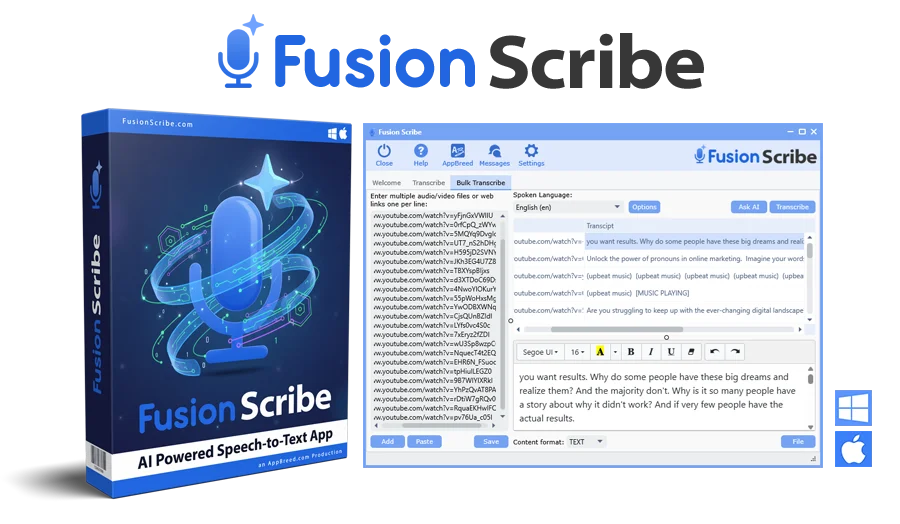
No monthly fees. No credits. No file limits. Private, fast bulk speech-to-text with built-in AI tools to power your content, research, and workflows.
High Converting
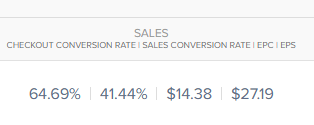
Our new offers consistently convert at $15 EPC with over 19% conversions on the front-end!
Reliable & Evergreen Offer
We always keep all our software products fully up-to-date and Fusion Scribe will always be an evergreen product you can confidently promote for years to come.
Get 50% Commissions
Get 50% commissions for a very powerful software with optimized sales page.
Sales Processed with Paykickstart
Always get paid with the highly trusted PayKickStart payment processing system.


INTRODUCING

Fusion Scribe is a desktop app that turns speech into text using powerful on-device models (with optional cloud API), then helps you edit, export, bulk-process, and analyze transcripts with built-in AI tools.
Below are several short bullet points you can mix and match to create your own unique email swipe, article or any promotional content you need ...

💸 No Fees. No Limits. No Nonsense.
⚡ Fast, Powerful On-Device Transcription
🌍 100 Languages. One Click to English.
📥 Download Video & Audio from 1,800+ Websites
🗂️ Bulk Transcription — Hours of Work in Minutes
🔍 Video Link Extractor — Turn Any Page Into a Content Pipeline
📝 5 Transcript Formats — For Every Workflow
🤖 Built-In AI Tools — Ask Anything About Your Transcripts
📚 80+ Preloaded Prompts — Ready to Run in One Click
Double-click any prompt to load it into the AI window, then hit Run — done.
🎙️ Voice Recording Built In
✏️ Built-In Editor & Audio Player
🏢 Built for Teams, Agencies & Service Providers
🔒 Privacy First — Your Audio Stays on Your Machine
🛡️ Risk-Free Purchase
Graphics
This contains logos, software boxes, screenshots & more
Banner Ads
Facebook Banner Ads

1080x1080
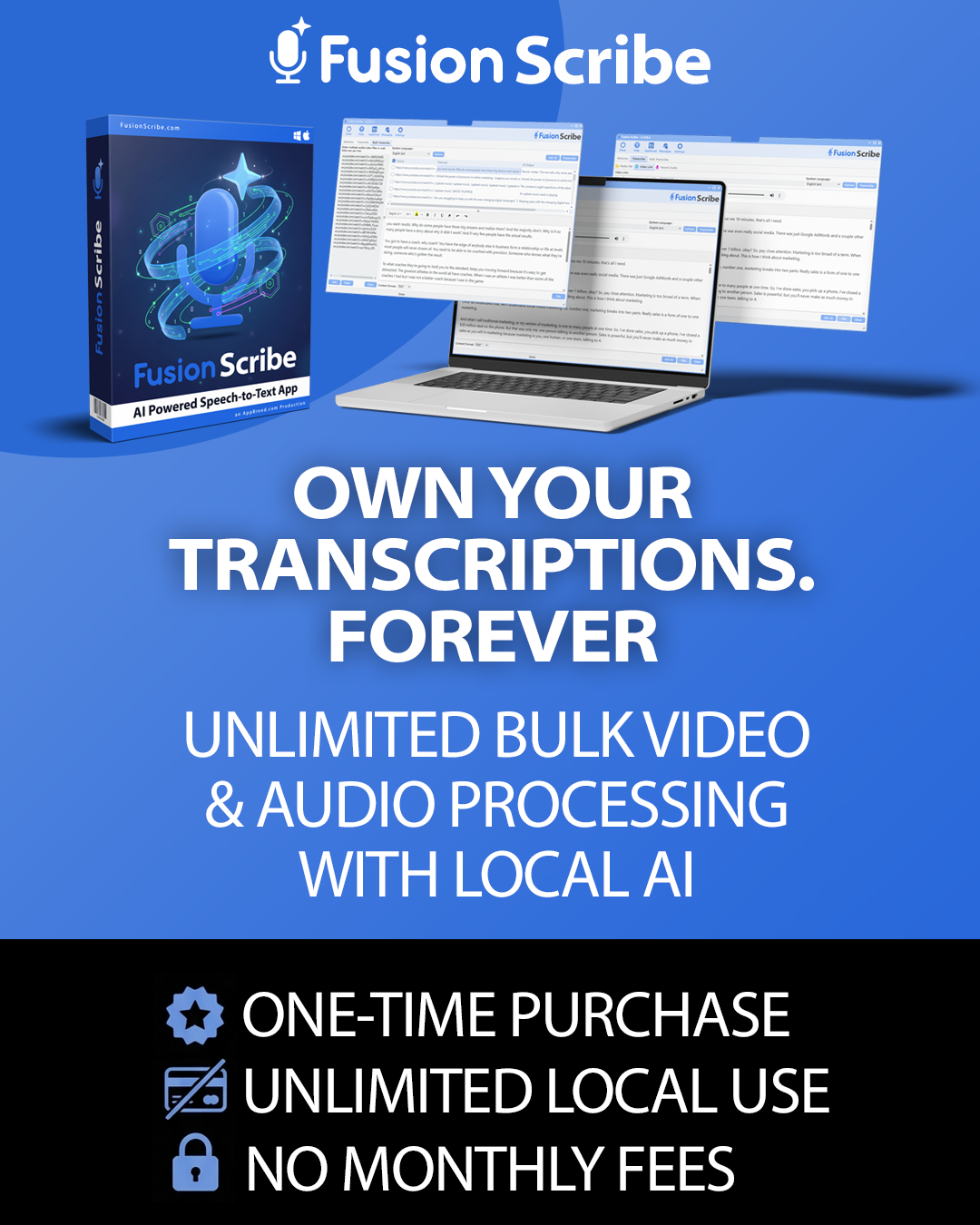
1080x1350
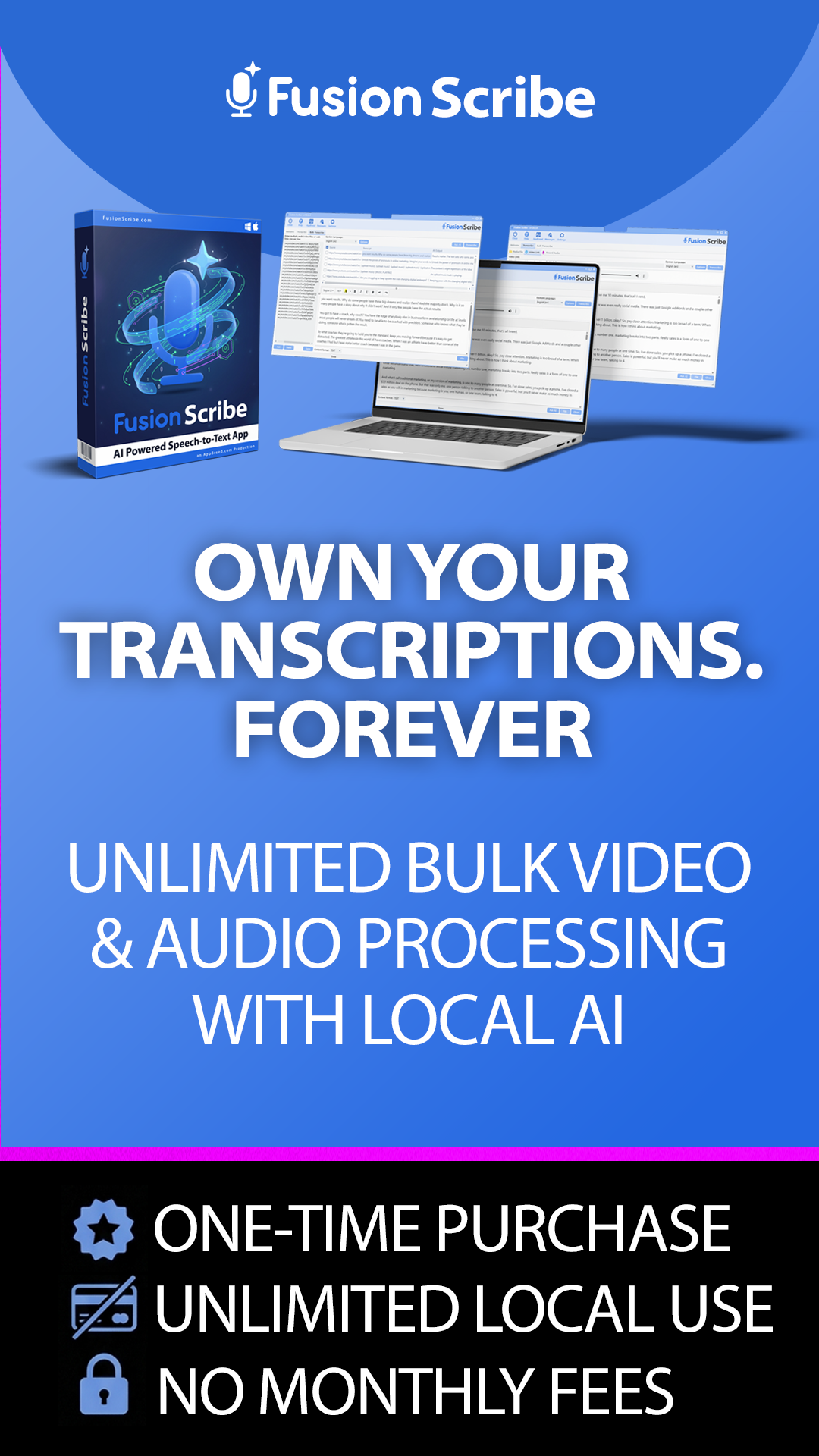
1080x1920
Google Banner Ads

300x250
300x600

728x90

1200x1200
1200x628

Swipes
SWIPE #1: The "Subscription Fatigue" Angle
Targets people fed up with monthly payments for transcription/AI tools. Positions Fusion Scribe as the permanent escape.
SUBJECT LINE OPTIONS:
1. 🛑 I just cancelled ALL my transcription subscriptions
2. The $27 tool that replaced my $50/month transcription service
3. I’m done paying monthly for transcription. Here’s what I switched to
4. Why I’ll never pay for transcription again — ever
5. 💰 How I saved $600/year on transcription overnight
6. One payment. Unlimited transcription. Forever.
7. I found the exit door from subscription hell 🙌
8. Monthly transcription fees? Not anymore.
9. This replaced Otter, Descript, AND Rev for me
10. The transcription tool that pays for itself in one day
EMAIL BODY:
I have a confession: last month I was paying for THREE different transcription services. Otter for meetings. Rev for client videos. And I was still copying transcripts into ChatGPT to get anything useful out of them.
Total monthly damage? Over $80. Every single month.
Then a friend showed me Fusion Scribe, and I cancelled all three the same week.
Here’s why: Fusion Scribe runs on your desktop (Windows & Mac) and uses OpenAI’s Whisper AI to transcribe unlimited audio and video files — locally on your computer. No cloud uploads. No per-minute charges. No monthly fees. Ever.
But it doesn’t stop at transcription. It has built-in AI tools with FREE models (Gemini, Llama, DeepSeek, and more) so you can summarize, analyze, extract key points, create chapters, and repurpose your transcripts — all inside the same app.
🔥 One-time payment of $27 (use coupon FUSION40) replaces tools costing $50-$100/month.
Seriously — I wish I’d found this a year ago. That’s $960 I’d still have in my pocket.
👉 [AFFILIATE_LINK]
Try it risk-free with a 30-day money-back guarantee. But honestly? You won’t need it.
SWIPE #2: The "Bulk Power" Angle
Targets content creators and agencies who process high volumes of video/audio. Highlights the batch processing capability.
SUBJECT LINE OPTIONS:
1. 🚀 I just transcribed 147 videos while eating lunch
2. Bulk transcribe 100+ videos in one click (not kidding)
3. How I processed an entire YouTube channel in one afternoon
4. The “set it and forget it” transcription tool you need
5. 100 videos. 100 transcripts. Zero effort.
6. ⚡ This bulk transcription feature is insane
7. I transcribed a full podcast season in 30 minutes
8. Why I stopped transcribing videos one at a time
9. Queue it. Leave it. Come back to finished transcripts.
10. The transcription tool built for volume 📊
EMAIL BODY:
Quick question: how many videos or audio files are you sitting on right now that need transcription?
10? 50? Maybe hundreds?
Most transcription tools make you upload and process files one at a time. It’s painfully slow. But Fusion Scribe has a Bulk Transcribe feature that changes everything.
Here’s how it works: you load up as many files and links as you want — local videos, YouTube URLs, TikTok links, podcast episodes, whatever. Click one button. Walk away.
Fusion Scribe downloads, extracts audio, and transcribes every single one using OpenAI’s Whisper model running locally on your machine. No cloud. No per-minute fees. No limits.
When you come back? Every transcript is organized in a clean data grid, ready to export in 5 formats (TXT, CSV, SRT, VTT, JSON) or analyze with the built-in AI tools.
I’ve personally run batches of 100+ files in a single session. Game changer for my workflow.
🎁 Right now it’s just $27 one-time with coupon FUSION40 (regularly $67).
👉 [AFFILIATE_LINK]
No subscriptions. No limits. Just raw transcription power.
SWIPE #3: The "Content Repurposing" Efficiency Angle
Targets bloggers, podcasters, and social media marketers who want to multiply their content output from existing videos/audio.
SUBJECT LINE OPTIONS:
1. 🔄 One video = 10 pieces of content (here’s how)
2. The fastest way to turn videos into blog posts, captions & emails
3. How I create a month of content from 5 podcast episodes
4. Stop creating from scratch. Start repurposing.
5. This tool turns any video into a content goldmine ⛏️
6. 📝 From transcript to blog post in 60 seconds
7. The content repurposing hack that saved my sanity
8. Why smart creators never start from a blank page
9. Turn YouTube videos into newsletters, tweets & more — automatically
10. I 10x’d my content output without hiring anyone
EMAIL BODY:
What if every video you’ve ever recorded could become 5-10 pieces of written content — automatically?
That’s exactly what I’ve been doing with Fusion Scribe, and it’s completely transformed my content workflow.
Here’s the process:
1️⃣ Drop videos or audio files into Fusion Scribe (or paste YouTube/TikTok/podcast links)
2️⃣ Bulk transcribe them all in one batch
3️⃣ Use the built-in AI tools to transform each transcript into blog posts, social captions, email newsletters, YouTube descriptions, show notes, or lead magnets
The app comes loaded with 80+ AI prompts across 10 categories — so you don’t need to be a prompt expert. Just pick one, click Run, and let Fusion Scribe do the rest.
One 45-minute podcast episode easily becomes 5-10 unique pieces of content. Multiply that across a full season and you’ve got months of content created in a single sitting.
✨ The AI tools use free built-in models (no API keys needed), and the whole thing runs on your desktop. No subscriptions, no per-minute fees.
Just $27 one-time with code FUSION40.
👉 [AFFILIATE_LINK]
Your content library is sitting there waiting. Time to unlock it.
SWIPE #4: The "Privacy & Security" Angle
Targets professionals handling sensitive recordings (legal, medical, corporate) who don’t want files uploaded to the cloud.
SUBJECT LINE OPTIONS:
1. 🔒 Your transcription service is reading your files (this one doesn’t)
2. The transcription tool that never touches the cloud
3. Why I stopped uploading client recordings to online services
4. 100% offline transcription — your files never leave your computer
5. If you transcribe client calls, read this immediately
6. 🛡️ Private. Local. Unlimited. Meet Fusion Scribe.
7. Cloud transcription = your data on someone else’s server
8. The only transcription tool I trust with sensitive recordings
9. HIPAA-conscious? Stop uploading recordings to the cloud.
10. Your recordings deserve better than a cloud server
EMAIL BODY:
Here’s something most people don’t think about: every time you upload a recording to an online transcription service, that file sits on someone else’s server.
Client meetings. Strategy calls. Legal consultations. Medical notes. Confidential interviews.
All of it — stored, processed, and potentially accessible on third-party cloud infrastructure. Comfortable with that?
I wasn’t. That’s why I switched to Fusion Scribe.
Fusion Scribe runs 100% locally on your desktop — Windows or Mac. It uses OpenAI’s Whisper speech recognition model installed directly on your machine. Your audio goes in, your transcript comes out, and nothing ever touches the internet.
No uploads. No cloud processing. No third-party access. Your files stay on YOUR computer, period.
And you still get all the power: unlimited transcription, bulk processing, built-in AI analysis, 100 languages, 5 export formats, and 80+ AI prompts.
All for a one-time payment of $27 with coupon FUSION40.
👉 [AFFILIATE_LINK]
Privacy shouldn’t be a premium feature. With Fusion Scribe, it’s the default.
SWIPE #5: The "YouTube Creator" Value Angle
Targets YouTubers who need chapters, descriptions, subtitles, and SEO content for their video catalog.
SUBJECT LINE OPTIONS:
1. 🎬 YouTubers: auto-generate chapters, descriptions & subtitles for every video
2. The tool that writes my YouTube descriptions FOR me
3. How I added chapters to 200 YouTube videos in one weekend
4. Stop manually writing video descriptions. Seriously.
5. 📹 Every YouTuber needs this $27 tool
6. Auto-generate SRT subtitles for your entire channel
7. YouTube SEO hack: AI-generated descriptions from your own content
8. I finally caught up on 6 months of missing video subtitles
9. Clickable YouTube chapters in seconds — not hours
10. The secret weapon behind my YouTube workflow 🚀
EMAIL BODY:
If you run a YouTube channel, you know the grind: every single video needs a description, chapters with timestamps, subtitles, tags, and ideally some SEO-optimized text. And if you’ve fallen behind? Catching up feels impossible.
Fusion Scribe fixed that for me in one weekend. Here’s what I did:
✅ Pasted all my YouTube video URLs into the bulk transcribe tool
✅ Transcribed my entire channel catalog in one batch
✅ Used the built-in AI to generate chapters with clickable timestamps for every video
✅ Auto-generated SEO descriptions and show notes
✅ Exported SRT subtitle files ready for YouTube upload
All of this happened while I was doing other work. Fusion Scribe handles the downloading, transcription, and AI analysis automatically.
The AI prompt library has 80+ ready-made prompts specifically designed for things like YouTube chapters, video summaries, key points extraction, and social media repurposing.
And since it runs locally on your computer using OpenAI Whisper — there’s no per-minute cost. Transcribe 10 videos or 1,000 videos. Same price: zero.
🎁 One-time payment of just $27 with code FUSION40.
👉 [AFFILIATE_LINK]
Your channel deserves better descriptions. Let AI handle it.
SWIPE #6: The "Agency/Freelancer" Angle
Targets marketing agencies and freelancers who can use Fusion Scribe for client work and charge for it (Commercial License).
SUBJECT LINE OPTIONS:
1. 💼 Agencies: add transcription services to your offerings for $0 extra cost
2. How I added a new revenue stream with a $27 tool
3. The tool that lets you SELL transcription services — license included
4. Dear agencies: stop outsourcing transcription. Do this instead.
5. 💵 Charge clients for transcription. Pay nothing per minute.
6. Commercial license included — sell transcription and keep 100%
7. The freelancer’s secret to faster client deliverables
8. 10 installs for your whole team — one price
9. Why every agency needs Fusion Scribe on every computer
10. New service offering unlocked: AI transcription + analysis 🔓
EMAIL BODY:
If you run an agency or freelance business, this might be the best $27 you ever spend.
Fusion Scribe comes with a Commercial License baked right in. That means you can use it for all your client work — transcribe client meetings, produce video subtitles, generate content briefs, create show notes — and charge whatever you want. Keep 100% of the profit.
But it gets better. It also includes an Outsource License for up to 10 computer installs. That means your entire team, your VAs, your editors — everyone can have Fusion Scribe running on their machine. One purchase covers all of them.
Think about what you can offer clients now:
✅ Meeting transcription & summary reports
✅ Video subtitle creation (SRT/VTT files)
✅ Content repurposing from webinars and podcasts
✅ Competitive video analysis with AI insights
✅ Bulk video research and trend reports
All produced in-house. No outsourcing fees. No per-minute charges. No monthly subscriptions eating into your margins.
The built-in AI tools with free models mean your team can deliver polished, AI-enhanced deliverables without any additional software costs.
👉 [AFFILIATE_LINK]
Use code FUSION40 for 60% off — just $27 one-time.
This is a profit machine disguised as a transcription tool.
SWIPE #7: The "Urgency/Limited Time" Objection Crusher
Creates scarcity and urgency around the coupon code and pricing. Pure action-driving email.
SUBJECT LINE OPTIONS:
1. ⏰ $27 pricing won’t last — Fusion Scribe deal ending soon
2. LAST CHANCE: 60% off Fusion Scribe (coupon inside)
3. 🚨 This $27 deal disappears soon — don’t sleep on it
4. Final reminder: Fusion Scribe for $27 before price goes up
5. 60% off unlimited transcription — but not for long
6. ⚡ Grab Fusion Scribe at $27 before it’s $67
7. The clock is ticking on this transcription deal
8. I’d hate for you to miss this one — $27 today, $67 tomorrow
9. Your $40 discount code expires soon 💸
10. Last call: unlimited AI transcription for less than lunch
EMAIL BODY:
I’ll keep this short because time matters.
Fusion Scribe — the desktop app that gives you unlimited AI-powered transcription with zero monthly fees — is available right now for just $27 using coupon code FUSION40.
The regular price? $67.
That’s a $40 savings on a tool that replaces subscriptions costing $50-$100+ per month. We’re talking unlimited transcription, bulk processing, built-in AI analysis, 80+ prompts, downloads from 1,800+ video sites, 100 languages, and 5 export formats.
All running privately on your computer. All for a one-time payment.
🔥 Here’s what $27 gets you:
✅ Unlimited transcription forever (no monthly fees)
✅ Built-in AI tools with free models
✅ Commercial License (sell services, keep 100%)
✅ Outsource License (10 computer installs)
✅ 3 bonus packages worth $207+
✅ 30-day money-back guarantee
This pricing won’t last forever, and honestly — at $27 it’s practically a steal.
👉 [AFFILIATE_LINK]
Use code FUSION40 at checkout. Don’t let this one slip by.
SWIPE #8: The "Competitor Research" Angle
Targets marketers who want to spy on competitor webinars, courses, and video content to extract strategies and insights.
SUBJECT LINE OPTIONS:
1. 🔍 I reverse-engineered my competitor’s entire webinar in 10 minutes
2. How to analyze ANY competitor’s video content at scale
3. The competitive intelligence tool nobody’s talking about
4. I extracted every selling point from my competitor’s sales video 😈
5. Research 50 competitor videos in one afternoon (here’s how)
6. Stop watching competitor content. Start analyzing it.
7. 🧠 Turn competitor videos into your strategic advantage
8. The $27 tool that replaced my $2,000/month research process
9. Know what your competitors are saying — without watching a single video
10. Competitive video analysis just got ridiculously easy
EMAIL BODY:
What if you could analyze every webinar, sales video, and training your competitors have ever published — without watching a single one?
That’s what I’ve been doing with Fusion Scribe, and it’s given me an unfair advantage.
Here’s my process:
🔹 Paste competitor video URLs into Fusion Scribe’s bulk transcriber
🔹 Let it download and transcribe everything automatically
🔹 Use the built-in AI to extract selling points, objection handling, offer structures, pricing strategies, and key messages
A 90-minute webinar that would take me an entire afternoon to watch and take notes on? Now it takes about 10 minutes from URL to full analysis.
I’ve used this to:
• Decode competitor launch strategies
• Identify gaps in their messaging I can exploit
• Extract testimonial themes and social proof patterns
• Build swipe files from their best-performing content
The AI tools use free built-in models — no API costs. And since everything runs locally, your research stays completely private.
🎁 Just $27 one-time with coupon FUSION40.
👉 [AFFILIATE_LINK]
Know your competition better than they know themselves.
SWIPE #9: The "Multi-Language" Angle
Targets international marketers, translators, and businesses working with multilingual content.
SUBJECT LINE OPTIONS:
1. 🌍 Transcribe in 100 languages — one click to translate to English
2. International content? This tool speaks 100 languages.
3. How I transcribe Spanish videos and get English summaries instantly
4. The multilingual transcription tool that runs offline
5. 100 languages. Auto-detect. One-click translation. $27.
6. 🇫🇷🇩🇪🇯🇵🇧🇷 Transcription that speaks YOUR language
7. No more language barriers in your video research
8. Transcribe foreign content and translate it — all in one app
9. Global content creators: this changes everything
10. From any language to English transcripts in minutes
EMAIL BODY:
Working with content in multiple languages used to mean hiring translators or juggling three different tools. Not anymore.
Fusion Scribe supports 100 languages out of the box — with automatic language detection. Drop in a video in Spanish, French, Japanese, Arabic, Hindi, or any of the other supported languages, and it transcribes it accurately using OpenAI’s Whisper model.
But here’s the feature that blew me away: one-click English translation.
Toggle a single switch before transcribing and Fusion Scribe automatically translates any foreign language content into English. You get both the original transcript AND the English version.
This is incredible for:
🌐 Researching international competitor content
🌐 Repurposing foreign-language videos for English audiences
🌐 Transcribing multilingual team meetings
🌐 Analyzing global market trends from video content
🌐 Creating subtitles for international content
And it all runs locally on your computer — no cloud uploads, no per-minute charges, no monthly fees. Just accurate multilingual transcription whenever you need it.
🎁 $27 one-time with coupon FUSION40 (regularly $67).
👉 [AFFILIATE_LINK]
One tool. Every language. No limits.
SWIPE #10: The "Bonus Stack" Angle
Leads with the massive value of the included bonuses to make the $27 price feel like a no-brainer.
SUBJECT LINE OPTIONS:
1. 🎁 $207 in bonuses FREE with this $27 tool
2. What’s included with Fusion Scribe will blow your mind
3. The $27 purchase that comes with $207 in free bonuses
4. Wait — all THIS is included for $27?!
5. Fusion Scribe + 3 bonus packages = ultimate content toolkit
6. 📦 Unboxing: everything you get with Fusion Scribe
7. Software + training + bonus packs for $27 (not a typo)
8. I couldn’t believe what came with my $27 purchase
9. The value stack that makes $27 feel like a glitch 😂
10. They’re basically giving this away — look at what’s included
EMAIL BODY:
When I bought Fusion Scribe for $27, I thought I was just getting a transcription tool. Then I saw what was actually included. My jaw dropped.
Here’s the full breakdown:
💻 Fusion Scribe Software — Unlimited AI transcription for Windows & Mac. No monthly fees. No limits. Built-in AI tools with free models. Downloads from 1,800+ sites. 100 languages. 5 export formats. 80+ AI prompts.
📄 Commercial License — Use it for client work, sell transcription services, keep 100% of the profit.
💻 Outsource License — Install on up to 10 computers. Perfect for teams, VAs, and family.
🎁 BONUS 1: Content Repurposing Multiplier Pack (Value: $67) — 6 in-depth reports on turning transcripts into blogs, social content, emails, and more.
🎁 BONUS 2: Video Growth & SEO Power Pack (Value: $67) — 6 reports covering YouTube SEO, video marketing strategy, and growth tactics.
🎁 BONUS 3: Video Bonus Pack (Value: $73) — 30 training videos across 5 categories covering content marketing, social media, and video strategy.
Total bonus value: $207+ Your price today: $27 with coupon FUSION40
That’s the software, the licenses, AND $207 in bonuses for less than a pizza dinner for two. 🍕
👉 [AFFILIATE_LINK]
30-day money-back guarantee. Zero risk. Insane value.
Get In Touch
Affiliate Terms & Conditions
Commissions are paid out on the 1st and 15th of each month for all owed commissions outside the 30 day refund period.
Please always adhere to these FTC guidelines when promoting our products and services.
You must agree to our affiliate agreement before promoting our product.
In addition, you must not use the following promotional methods if approved for this affiliate program. Doing so may result in you being terminated from the affiliate program and forfeiting any outstanding commissions.
1. You are NOT permitted to order through your own affiliate link. Ordering through your link may result in all commissions forfeit and your account terminated.
1. Sending Spam or using safe lists any kind.
2. Offering cash rebates to people who buy through your affiliate link.
3. Using negative words such as 'scam' in promotional campaign.
4. Please do not misrepresent our product/offer and follow any endorsement rules and regulations that are applicable both in the country where you are based and in the countries from which you are sending website traffic or advertising in.
5. Using cookie stuffing. If you do, you will not get paid any commissions.
6. Absolutely NO popup traffic or safe list email marketing. Your account will be terminated and all commissions forfeit if we see referral traffic from popups or safe lists.
Copyright © 2026 FusionScribe.com. All Rights Reserved